Showing posts with label detail item. Show all posts

Thursday, January 29, 2015

Life Safety Exit Separation

Today, I spent some time developing a family for our Life Safety drawings, showing exit separation, based on the diagonal of the area served. This family refers to the Florida Building Code (2010), so if you download it for your own use, be sure to update the code references/calculations as needed.

Code References:
1015.2.1 Two exits or exit access doorways. 

Where two exits or exit access doorways are required from any portion of the exit access, the exit doors or exit access doorways shall be placed a distance apart equal to not less than one-half of the length of the maximum overall diagonal dimension of the building or area to be served measured in a straight line between exit doors or exit access doorways. Interlocking or scissor stairs shall be counted as one exit stairway.

Exceptions:
2. Where a building is equipped throughout with an automatic sprinkler system in accordance with Section 903.3.1.1 or 903.3.1.2, the separation distance of the exit doors or exit access doorways shall not be less than one-third of the length of the maximum overall diagonal dimension of the area served.

In the past, we would use a linear dimension, with added text to show the distances, but this involved some manual steps and calculations.
Now, the family is a line based detail item with a nested generic annotation, containing two types and an instance parameter to indicate a sprinklered or un-sprinklered building. The code reference and minimum exit separation distance are automatically adjusted/calculated based on the length of the family and sprinkler parameter.
The family can be downloaded from here (2015).

Tuesday, November 12, 2013

space planning tool

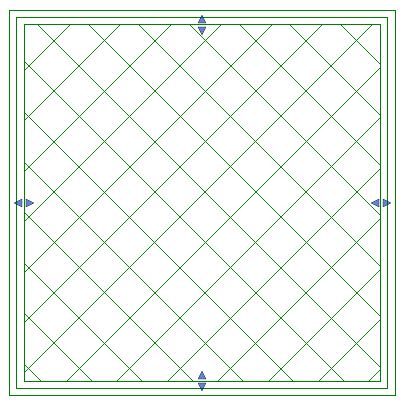
Another one from the bag of tricks is a simple stretchable detail item to represent rooms during space planning. Much like a sheet of trace paper to lay over your floor plan, this detail item affects none of the model elements allowing for very quick exploration of a few schematic options without the use of design options. Since this is a detail item, it's only visible in the view the work is done.


Two families have been created; one rectangular, the other L-shaped. A few types have been set up to show different wall thicknesses. A simple tag shows labels for the room name (optional), width & length (finish to finish), and resulting area.

Edit:  I nested the tag as a generic annotation inside the space planning tool. The tag now shows up as soon as you place the space planning tool family. A link to the new families can be found below.


By using reference planes and reference lines, the families will snap to each other, making it easy to align them. A center line for the wall thickness was added for reference.


All the families can be downloaded from here (2013).

Edit: families with the nested tag (refer to comment above) can be downloaded from here (2015).